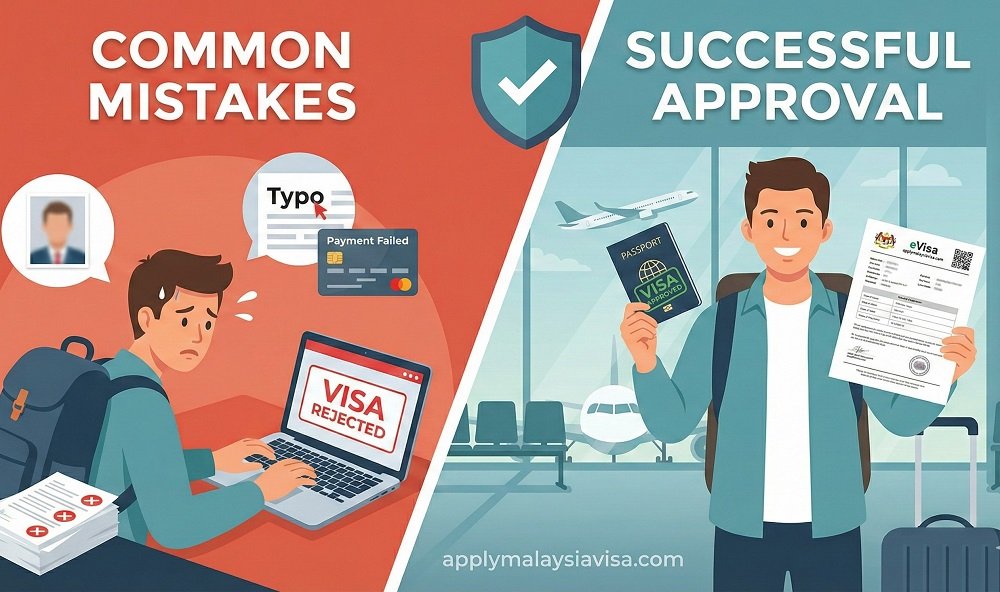
Planning a trip to Malaysia is exciting, but the visa application process can quickly turn that excitement into panic. One small error, a shadow in your photo or a single typo in your passport number can lead to an immediate rejection.
If your application is rejected, the Malaysian Immigration Department does not refund the processing fee. You lose your money, you lose time, and you might even miss your flight.
The good news? Most rejections are entirely preventable. This guide breaks down the specific “invisible” errors that trip up most travelers and explains how to ensure your application gets approved on the first try.
1. The “Silent Killer”: Non-Compliant Passport Photos
This is the #1 reason for Malaysia eVisa rejection. Even if your photo looks fine to the human eye, the immigration system uses strict biometric scanning. If the AI cannot detect your facial features clearly, it rejects the application instantly.
The Golden Rules for Approval:
- Pure White Background: Not off-white, not gray, and definitely not a blue wall. It must be solid white.
- No Shadows: A shadow behind your ears or under your chin is a red flag. Use even lighting.
- Size Matters: The image must be strictly 35mm width x 50mm height.
- Neutral Expression: Mouth closed. No teeth showing. Eyes open and looking directly at the camera.
Common “Invisible” Fails:
- Wearing Glasses: Even if there is no glare, glasses often confuse the facial recognition software. Take them off.
- Cropping Selfies: Never crop a selfie from a phone. The resolution (DPI) is usually too low, and the angle is rarely correct.
Pro Tip: Don’t guess. If you apply through applymalaysiavisa.com, our team manually reviews your photo against official standards before we submit it to the government portal.

2. Document Format Fails: PDF vs. JPEG
Uploading the wrong file format causes technical errors that can freeze your application. The system is rigid; it does not auto-convert files for you.
Here is a quick breakdown of what format you need for which document:
| Document Type | Required Format | File Size Limit | Common Issue |
| Passport Bio Page | JPEG (Image) | < 2MB | Blurry text or cropped MRZ code. |
| Passport Photo | JPEG (Image) | < 2MB | Wrong aspect ratio (must be 35x50mm). |
| Flight Itinerary | < 2MB | Uploading a screenshot instead of the PDF file. | |
| Hotel Booking | < 2MB | Address or dates missing from the file. |
Important: Never use mobile “cam scanner” apps that leave a watermark (e.g., “Scanned with CamScanner”). These are often rejected as unofficial documents. Scan your passport properly at 600 DPI.
3. The “Typo Trap”: Mismatching Data
It sounds obvious, but you would be surprised how many people fail here. The data you type into the form must match the Machine Readable Zone (MRZ) at the bottom of your passport exactly.
Watch out for these specific traps:
- The Letter ‘O’ vs. Number ‘0’: Passport numbers often contain the number zero. If you type the letter ‘O’, the system sees a mismatch and rejects you.
- Name Sequence: If your passport lists your surname first, type it exactly that way. Do not rearrange your name to “Western style” unless the form specifically asks for First and Last names separately.
- Date of Birth: Double-check the day and month order (DD/MM/YYYY vs MM/DD/YYYY).
4. Ignoring the Travel Itinerary Rules
You cannot just say you are visiting; you must prove it. A common myth is that you can apply with a “dummy ticket” or a tentative reservation.
The Reality:
Immigration officers verify flight PNR codes. If you upload a fake itinerary or an unconfirmed booking, your visa will be denied.
- Flights: You need a confirmed return or onward ticket.
- Hotels: You must provide proof of accommodation. If you are staying with friends, you need a formal invitation letter and a copy of their Malaysian ID.
5. Payment Pitfalls: Money Deducted, No Visa?
Have you ever clicked “Pay,” seen the money leave your bank account, but the screen froze?
This usually happens because of Pop-Up Blockers. The Malaysia eVisa payment gateway often opens a new window for the bank’s OTP verification. If your browser blocks this pop-up:
- The payment processes in the background.
- The visa portal doesn’t receive the “Success” signal.
- Your status remains “Pending Payment,” but your money is gone.
The Fix: Always disable pop-up blockers before starting the application. If this happens, you will need to contact your bank and the payment support team, which can take weeks to resolve.
Can You Edit a Submitted Application?
The short answer is No.
Once you hit “Submit” and pay the fee, the application is locked. You cannot go back to fix a typo, change a photo, or upload a missed document.
If you realize you made a mistake after paying:
- You must cancel the current application (if the option exists) or wait for the rejection.
- You must re-apply from scratch.
- You must pay the fee again.
This strict “no-edit” policy is why checking your data before submission is critical.
The Solution: How ApplyMalaysiaVisa.com Prevents Rejection
Why risk your vacation time and money on a rigid government portal?
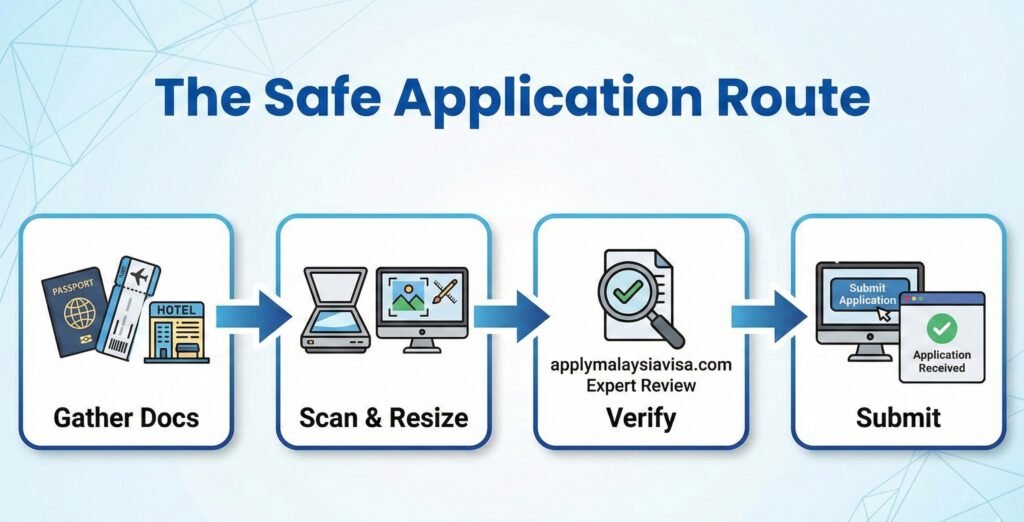
At applymalaysiavisa.com, we act as your safety net. We don’t just forward your application; we audit it.
- We resize your photos to meet the exact pixel requirements.
- We cross-check your passport data against the MRZ code to catch typos.
- We verify your documents before the immigration officer ever sees them.
If we see an error, we fix it before submission. This ensures your application has the highest possible chance of approval, saving you the stress of a rejection letter.
Frequently Asked Questions (FAQ)
What is the most common reason for Malaysia eVisa rejection?
Non-compliant passport photos are the #1 cause.
Photos must be 35mm x 50mm, taken within 6 months, and have a strictly white background. Accessories, shadows, or poor resolution often trigger automated rejection. Incomplete document uploads and mismatched passport details are also frequent causes.
Can I edit my Malaysia eVisa application after payment?
No, you cannot edit your application once the payment is successful.
If you spot a mistake (like a typo in your name or passport number) after submission, you must usually submit a new application with a fresh payment. Always double-check details before paying.
How do I resize my photo for the Malaysia eVisa upload?
Use a dedicated photo tool to resize to exactly 35mm x 50mm.
Ensure the file size is under 2MB (ideally 60KB–2MB) and in JPEG format. Avoid using mobile “cam scanner” apps; instead, scan the original photo at 600 DPI for clarity.
Why does my Malaysia eVisa status say “Payment Failed”?
This often occurs due to browser pop-up blockers or bank restrictions.
The payment gateway opens a pop-up for OTP verification. If blocked, the transaction fails on the portal side even if money is deducted. Clear your cache and enable pop-ups before trying again.
Is a flight ticket required for Malaysia eVisa application?
Yes, a confirmed return or onward flight ticket is mandatory.
You must upload a PDF or JPEG of your flight itinerary showing your name and flight numbers. Open-dated tickets or unverified “dummy” tickets are generally not accepted and can lead to rejection.